
A Delivery Text That Looks Real. A Pharmacy That May Not Be Safe. A Phone Number That Unlocks Your Bank.
Three consumer fraud and financial-protection warnings worth knowing
In brief
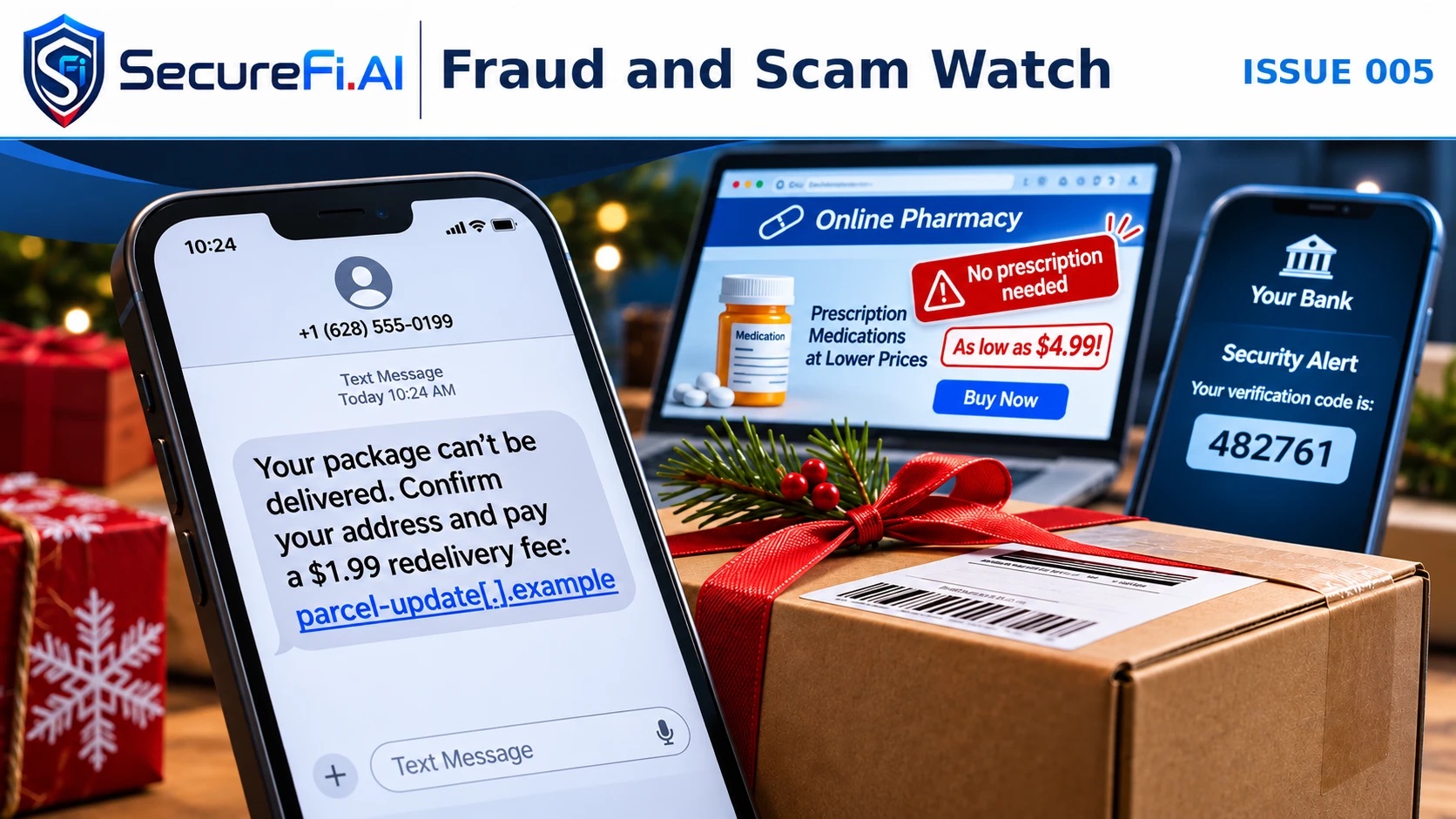
- Holiday Shopping: The message that looks routine could be a scam. A new AARP survey finds that 84% of adults surveyed have been targeted by or experienced at least one common type of fraud, including fake delivery alerts, fake toll texts and phony charity requests. With the holidays ahead, these messages blend into everyday life.What you can do: Check deliveries in the retailer's or carrier's own app or website, and look up charities yourself before you give.
- Online Pharmacies: A convincing website doesn't guarantee safe medicine. Georgia's attorney general warns that illegal online pharmacies may sell counterfeit, expired, unapproved or improperly stored medications, and that some of these websites steal personal and financial information.What you can do: Confirm the pharmacy is state-licensed and requires a valid prescription. The FDA's BeSafeRx tool shows how.
- Bank Accounts: Criminals may go after the phone number that protects your money. Federal prosecutors in Texas charged fourteen people accused of taking over bank accounts using impersonation, SIM swapping, counterfeit IDs and help from insiders at banks and phone companies.What you can do: Add a PIN or transfer lock to your mobile account, and use an authenticator app or passkey instead of text codes where you can.
Why These Stories Matter
A delivery alert appears on your phone. An online pharmacy offers a good price. Your bank texts you a security code.
These are ordinary parts of daily life. Each one depends on something we rarely stop to check: who sent the message, who is selling the product, or who controls the phone number.
This week's three stories show what can go wrong, the warning signs to recognize, and the steps that make a difference.
This week's warnings
Holiday Scams: Would You Recognize the Warning Signs?
Imagine receiving this message
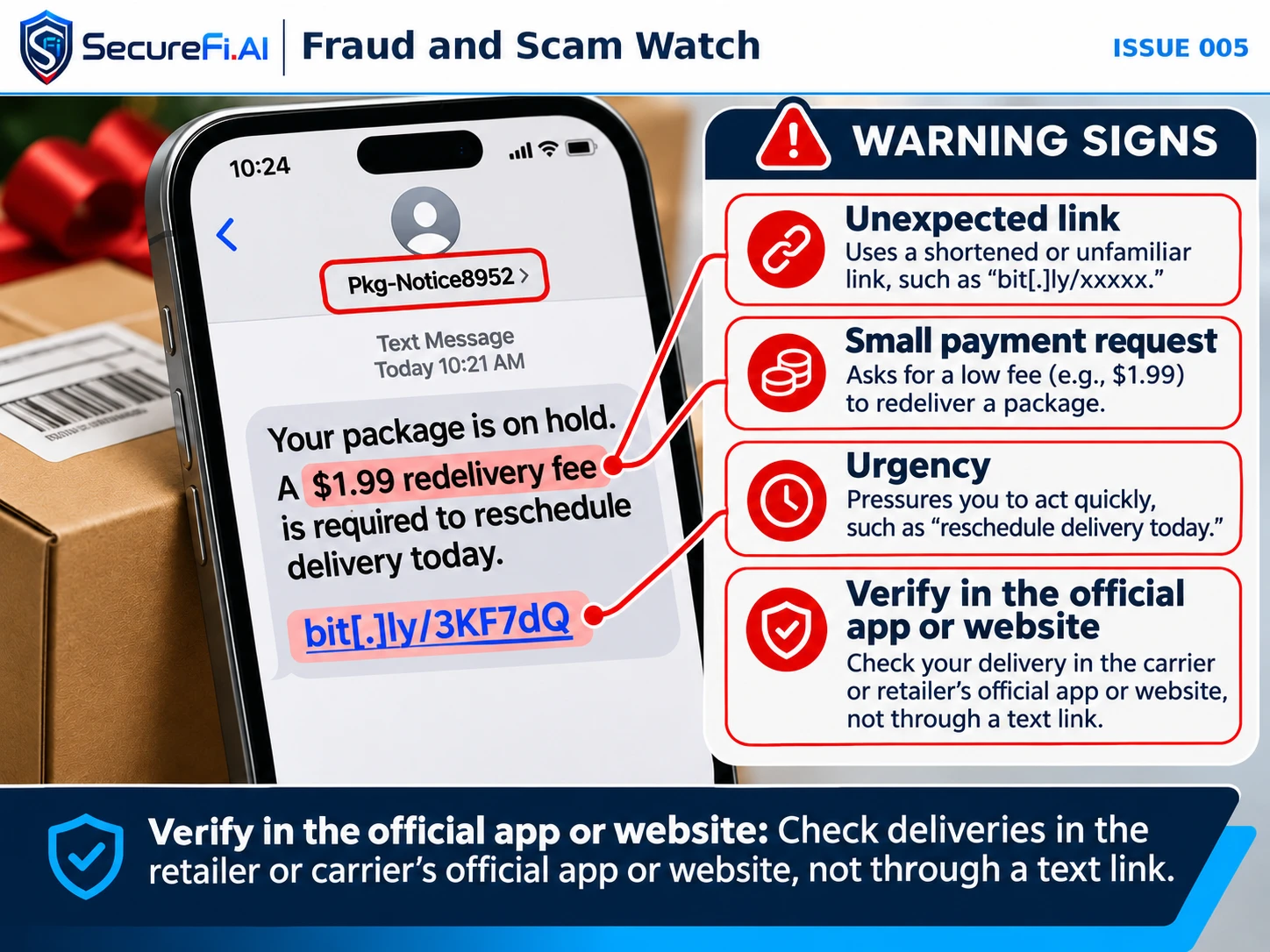
A text says a package can't be delivered until you confirm your address and pay a small redelivery fee.
You're expecting several packages, so it seems reasonable. But the link leads to a fake site built to collect your card number or personal details.
The warning sign isn't the delivery message itself. It's being sent to an unfamiliar link to fix a problem you haven't confirmed.
What happened
On November 11, AARP released its 2026 Holiday Shopping and Scams Report. AARP surveyed 1,801 U.S. adults age 18 and older who use the internet and shop during the holiday season. Among them:
- 84% have been targeted by or experienced at least one common type of fraud.
- 47% received a fake shipping alert in the past year.
- 44% received a text about a fake toll payment in the past year.
- 31% received a donation request that appeared fake or suspicious.
- 39% say they experienced fraud after buying something from an online ad.
- 35% say they have given or received a gift card with no balance.
These figures describe how often people encounter these scams. They do not mean 84% of adults lost money.
The gift card finding connects to last week's issue, which covered a scheme to tamper with gift cards before they were sold.
Why this matters to you
The holidays bring more orders, more deliveries, more donations and more travel. We also move faster, and criminals count on that.
A fake shipping notice can use a real company's name. A donation request can mention a charity that exists. An online ad can look as polished as a real store.
The hard part isn't knowing what a scam looks like. It's remembering that something familiar still needs to be checked.
Warning signs
Be cautious when:
- A delivery or toll text asks you to click a link to pay a fee or confirm your address.
- An online ad offers a discount that seems too good to be true.
- A seller asks you to pay outside a known shopping platform.
- A charity pressures you to give right away.
- Someone asks you to pay with a gift card, wire transfer or cryptocurrency.
What you can do
- Deliveries: Track packages in the retailer's or carrier's own app or website, not through a link in a text.
- Shopping: Look up the seller yourself, read the return policy, and pay with a credit card or another method that offers purchase protection.
- Charities: Look up the organization on your own before giving, and make sure the payment goes to the charity itself.
- Gift cards: Keep the receipt, and check the balance soon after buying.
If you've already responded
If you entered card details, call your bank or card issuer right away. If you shared a password, change it through the real website and review your account.
Keep the message and report it at ReportFraud.ftc.gov. You can also call the free AARP Fraud Watch Network Helpline at 877-908-3360.
A familiar company name does not make a message real.
The safest step is simple: open the company's official app or website yourself and see whether the problem actually exists.
What you can do nowGot a delivery, toll or charity text you're not sure about? Check it before you click or pay.
Check a message →The Online Pharmacy That Looks Legitimate but May Be Dangerous
Imagine finding your medication at a surprisingly low price
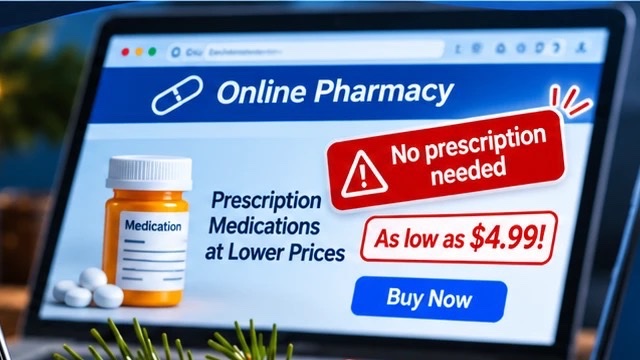
The website looks professional, with product photos, reviews and an easy checkout. But it doesn't ask for a prescription.
Would you know whether it's a licensed pharmacy?
The risk isn't only losing money. The medicine itself may be unsafe.
What happened
On November 12, Georgia Attorney General Chris Carr warned consumers that some websites illegally sell counterfeit, expired, unapproved or improperly stored medications.
According to the warning, these products may put a person's health at serious risk, and these websites may also steal personal and financial information.
Why this matters to you
Buying medicine online can be safe and convenient. Many licensed pharmacies offer it.
The problem is telling a licensed pharmacy apart from a website that only looks like one. Professional design, customer reviews and familiar drug names prove nothing about what is in the package.
For someone who depends on a prescription, the harm can go far beyond an unexpected charge.
Warning signs
Be careful when an online seller:
- Offers prescription medicine without requiring a valid prescription.
- Advertises prices far below what other pharmacies charge.
- Has no verifiable U.S. address or licensed pharmacist you can reach.
- Can't be found through your state board of pharmacy.
- Is vague about where the medicine comes from.
What you can do
Before you buy: Use the FDA's BeSafeRx tool to check that the pharmacy is licensed in your state. Make sure it requires a valid prescription and lets you speak with a licensed pharmacist.
If something seems wrong when the medicine arrives: Don't take it just because it looks like the real thing. Ask your pharmacist or doctor first. If you feel unwell after taking a medication, get medical care.
If you suspect an illegal online pharmacy
Report it to your state's consumer protection office or attorney general, or to the FDA. Report any fraudulent charges to your card issuer and at ReportFraud.ftc.gov.
A professional-looking website is not proof that the medicine is safe.
Check the license and the prescription requirement before you buy. Your health is worth more than a low price.
What you can do nowFound a pharmacy website you're not sure about? Check the link before you buy.
Check a website →When Someone Else Controls the Phone Number Protecting Your Bank Account
Imagine your phone suddenly stops working
Calls and texts stop coming through. You haven't changed carriers or asked for a new SIM card.
Then your bank alerts you to a login you don't recognize.
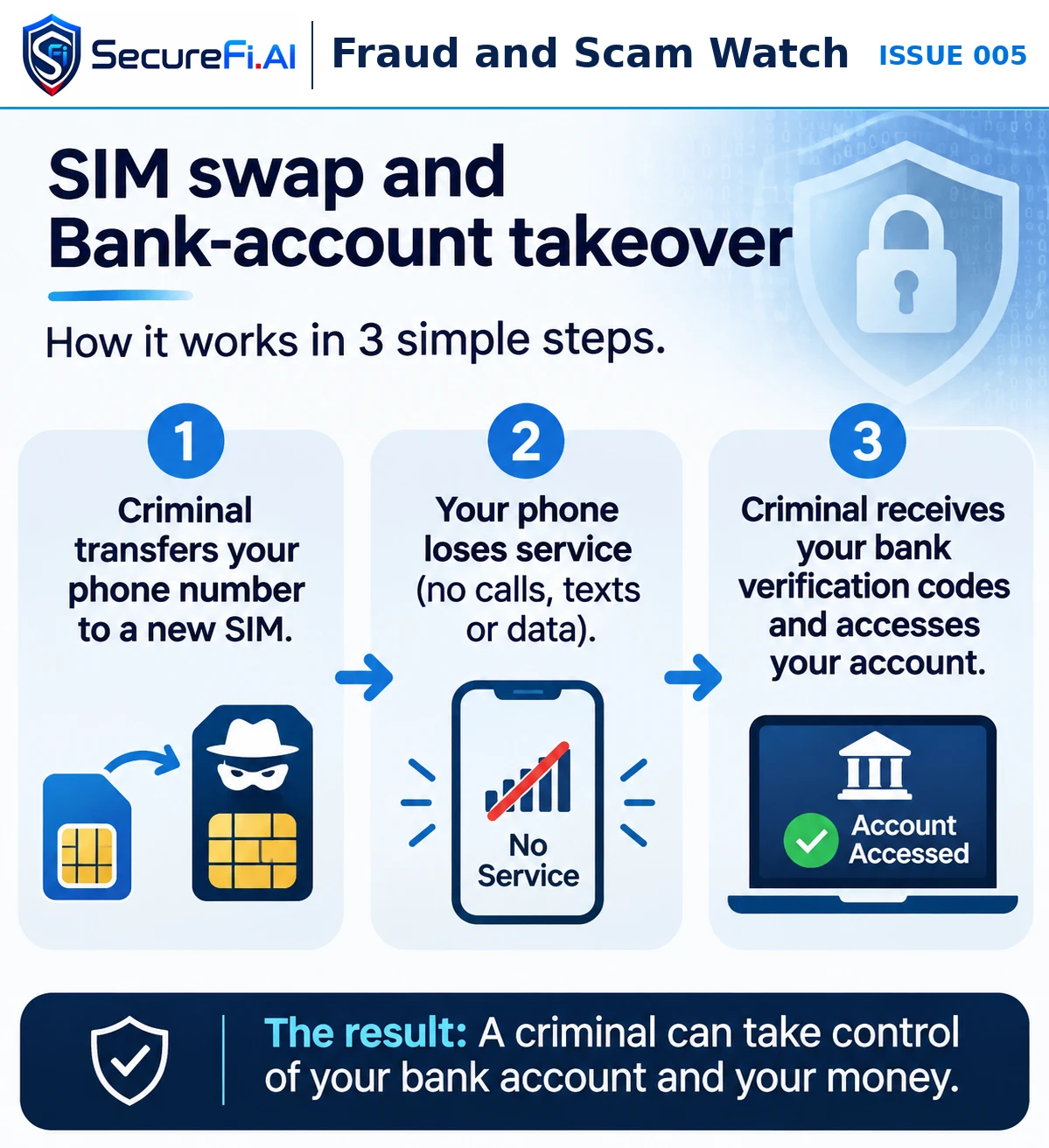
One possible explanation is a SIM swap, where a criminal gets your phone number moved to a device they control. Once they have your number, they can receive the security codes your bank sends you.
A phone number can become a key to your bank account when it receives your security codes.
What happened
On November 3, federal prosecutors in the Northern District of Texas announced an indictment charging fourteen people in an alleged nationwide bank account takeover scheme that ran from July 2023 to November 2024.
According to prosecutors, the group used stolen personal information, counterfeit IDs, impersonation of victims, caller ID spoofing and SIM swapping, and intercepted security codes. Prosecutors also allege that corrupt insiders at banks and telecommunications companies helped get around security checks.
According to the indictment, the alleged leader kept a spreadsheet listing nearly 3,000 people whose accounts together held more than $373 million. That is the amount held in the targeted accounts. It is not the amount stolen. Prosecutors also describe an attempted $2 million wire transfer.
These are criminal charges. The defendants are presumed innocent unless proven guilty.
Why this matters to you
Most of us have learned to protect our accounts with strong passwords and security codes. That still matters.
But if someone takes control of the phone number that receives those codes, they may be able to get past the protection. This case also shows that security can fail inside an institution when insiders help criminals.
No one can prevent every failure at a bank or phone company. You can make your own accounts harder to take over, and you can spot trouble faster.
Warning signs
Pay attention if:
- Your phone suddenly loses service for no clear reason.
- Your carrier tells you about a SIM or device change you didn't request.
- You get password reset or verification messages you didn't ask for.
- Your bank reports logins or account changes you don't recognize.
- New payees or transactions appear in your accounts.
A loss of service alone doesn't mean a SIM swap. Check with your carrier.
What you can do
- Lock down your phone number: Ask your carrier to add an account PIN and a number transfer lock (sometimes called a port-out lock).
- Use stronger sign-in methods: Where your bank offers it, use an authenticator app, passkey or security key instead of text message codes.
- Turn on alerts: Set up bank notifications for logins, transfers and account changes, and read them when they arrive.
- Never give out a code: If someone contacts you and asks you to read back a security code, don't. Hang up and call the company using a number you look up yourself.
If you think your phone number or bank account was taken over
Call your carrier right away using the number on its official website or your bill. Then call your bank using the number on the back of your card.
Once you have control again, change your passwords and review your sign-in settings and recent account changes.
Report identity theft at IdentityTheft.gov and internet crime at IC3.gov.
Protecting your money means protecting how you prove who you are.
A strong password matters. So does control of your phone number, your security codes and the recovery options on your accounts.
What you can do nowSomeone calling about your bank or phone account? Three steps to check who is really calling.
Verify a caller →A text says your package can't be delivered until you pay a $1.99 redelivery fee at a link.
Be careful after big outages
When a service millions of people use goes down, people search for answers and help. Impersonators often take advantage of moments like these, posing as tech support, offering to "re-verify" accounts, or promising flight rebooking and refunds.
After any major outage, go to the company directly through its official app, website or a phone number you look up yourself.
This is a general precaution. It is not a claim that any scam campaign was tied to the recent Microsoft or FAA outages. SecureFi will look at those two events separately.
The SecureFi Takeaway: A Familiar Experience Still Deserves a Second Look
This week's stories involve three things many of us do without thinking:
- Reading a delivery text.
- Buying something important online.
- Using a phone number to confirm who we are.
None of these should be frightening. Each one deserves a moment of attention.
- Check the source. A familiar name, logo or professional website isn't enough.
- Protect your keys. Your email, phone number and account recovery settings deserve special care.
- Know where to get help. Use official contacts and reporting channels you find yourself.
- Share what you learn. A short conversation with someone you care about may help them spot a warning sign.
Our goal at SecureFi is not simply to tell people that threats exist. It is to help people understand what those threats mean, recognize warning signs, and make safer decisions.
Fraud and Scam Watch, in your inbox each week.
Warnings from official sources, and what to do. Get each new issue in your inbox: confirm your address and you’ll get the next one. No account needed.
Separate from product alerts. One-click unsubscribe in every email. See our Privacy Policy.
Edited by David Haberland · Published by SecureFi, Inc. · All Fraud and Scam Watch editions · New edition every week · Follow on LinkedIn · RSS